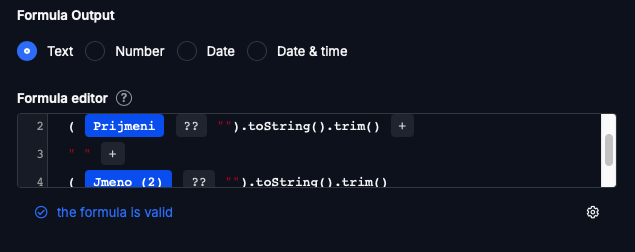
I have a calculated field that concatenates values from several other fields. If one of the source fields is empty, the calculated field shows null in the output.
Is it possible to set the calculation so that when a source field is empty, it returns an empty string (“”) instead of null - so nothing is displayed in that place?
Example:
First name: Tomáš
Last name: Fuk
Title: (empty)
Calculated field: Title + First name + Last name
Desired result: Tomáš Fuk (not null Tomáš Fuk)
I’ve encountered an issue where the code initially works correctly, but after one or two edits of the table, the value disappears and Tabidoo shows no result in the calculated field.
I’ve noticed that this seems to be related to a change Tabidoo makes to the code after the table edit window is saved.
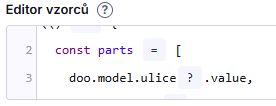
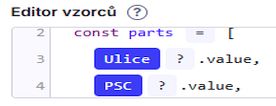
In the first screenshot, you can see the original code, which works correctly. The second screenshot shows how the code looks when I open the edit window again; after saving it in this state, the calculation stops working.
Thank you! It works and helped me find an alternative solution that appears to work correctly and behaves better, as it does not add a comma when a field contains no data:
[Ulice, PSC, Mesto, Zeme]
.map(v => (v ?? “”).toString().trim())
.filter(v => v.length > 0)
.join(", ")